Tabs over the list like the Shop's (2026-10-15): All, then a tab per company type (Cargo & Ore, Vehicles, Agriculture, Tankers, Seafood) and Service (recovery boats, tugs, icebreakers), each with how many of its ships the Show filter lets through ("Tankers (17)"); a company type's tab is left out while the company has no ships in it and doesn't have the type. The list opens on All.
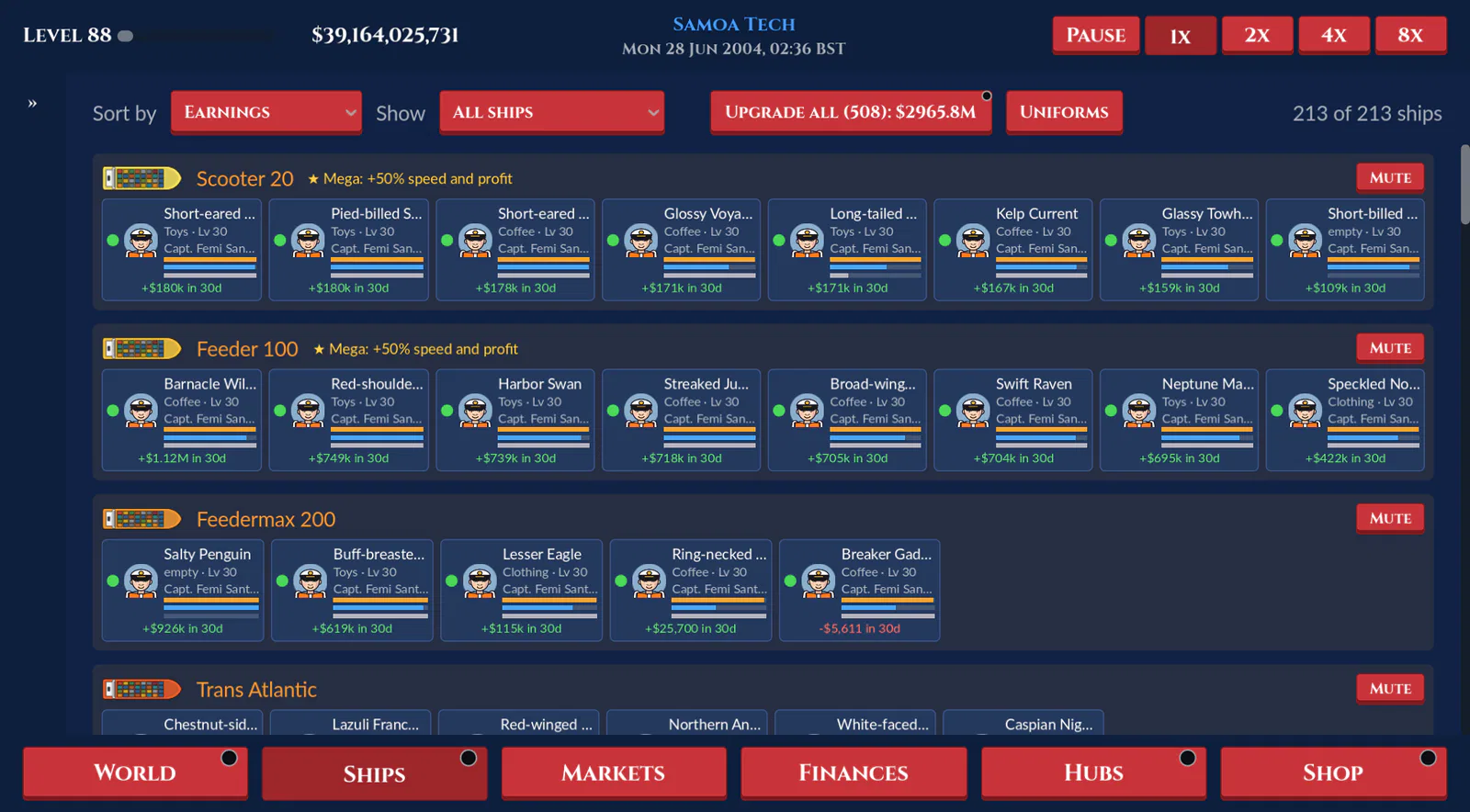
Scrolling list grouped by model in the Shop's order (each type's lines, then the service ships, each line smallest first) under a heading per ship line in its color ("Container ships", "Ore carriers"...; hidden with nothing under it), each group on a faint tint of its ship line's color (the same colors as the Prices menu and Finances) under a picture of the model (bow to the right) and its name in that color, 8 compact tiles wide, one tile per owned ship. Groups with no ships (or none matching the filter) are hidden.
Each tile has its captain's face (a small round picture) beside three lines: the ship name (cut short with "..." if it doesn't fit), then its cargo in smaller text ("Coffee"; recovery boats say "Recovery"). A ship that needs the player says why instead, in red ("Held in port", "Paused", "No route", "Lost at sea", "Waiting for toll money"). Then "Capt. " and its captain's name. Hovering a tile shows the full name and its status line (e.g. "Docked at Korsakov — not enough fuel for Hong Kong; turn on refuel").
Each tile shows the ship name, a status dot, and thin maintenance / fuel / cargo bars. Green = running (has route, not paused, not held); amber = waiting in port for money for a full load; red = docked (paused at a port, no route, or held in port).
Clicking a tile opens the ship popup.
Sort (within each model, left to right) by earnings, name, status (lost, then at risk, then held, then stopped, then running) or profit all time; show all ships, running, stopped, lost, or recovery boats. A count shows how many are shown. Tiles re-sort when the fleet or the sort changes, not live.
 Maritime Empire